
Kanbanify Kanbanify
🇬🇧

What's New

The latest features, improvements, and fixes for Kanbanify.

October 2026

New · · Kanbanify Support Kanbanify Support

v3.38.0 — Automatically use your saved Delivery Date as the Kanbanify due date

Keep your Orders board automatically aligned with your fulfillment schedule and delivery timelines.

Turn on Automate due dates from fulfillment deadlines and delivery dates in Orders board Settings and grant the requested Shopify permission.

Fulfillment Deadlines: Automatically sets an order’s internal due date using the earliest Shopify fulfillment deadline.

Delivery Dates from Custom Attributes: Automatically detects date attributes on the order or line items (such as Delivery Date, delivery_date, or Due date).

Missing or unparseable dates are skipped silently without affecting order placement, tags, or Shopify Flow triggers.

To learn more, check out the documentation page.

September 2026

New · · Davide - Kanbanify Founder Davide - Kanbanify Founder

v3.37.0 — Automatic due dates from Shopify fulfillment deadlines

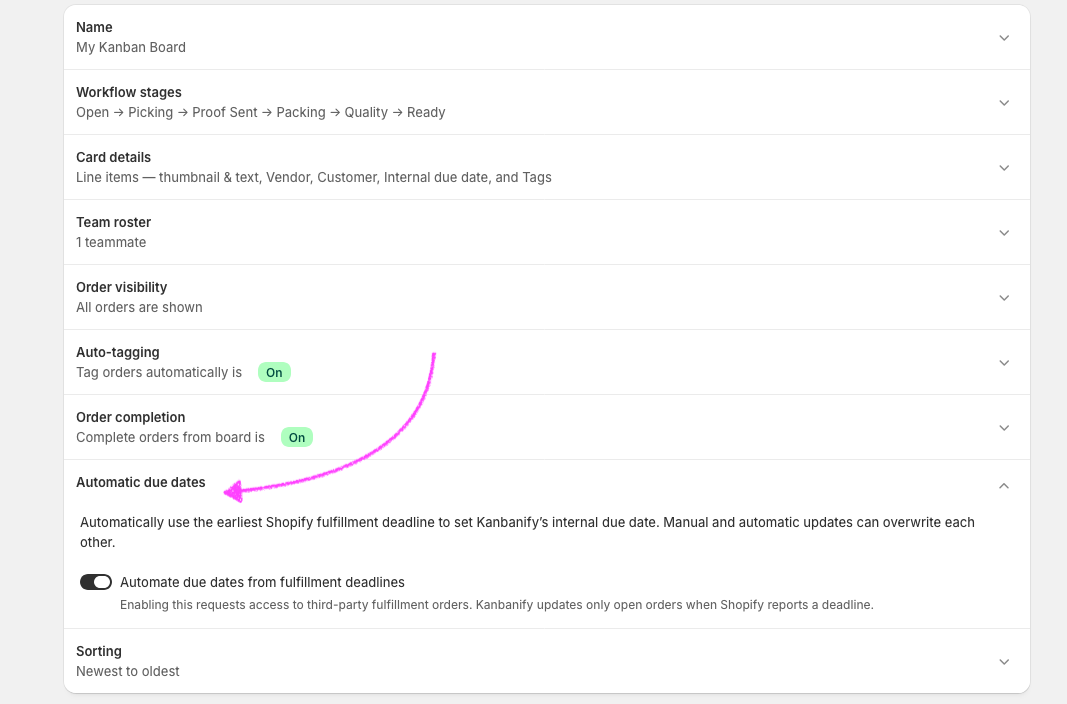
Keep your Orders board aligned with Shopify’s fulfillment deadlines. Turn on Automate due dates from fulfillment deadlines in Orders board Settings and grant the requested Shopify permission.

Screenshot of the Automate due dates section in the Settings

When a fulfillment deadline changes for an open order, Kanbanify uses the earliest deadline as that order’s internal due date, so your team can spot upcoming work on the board. You can still edit due dates manually; the most recent manual or automatic update takes precedence.


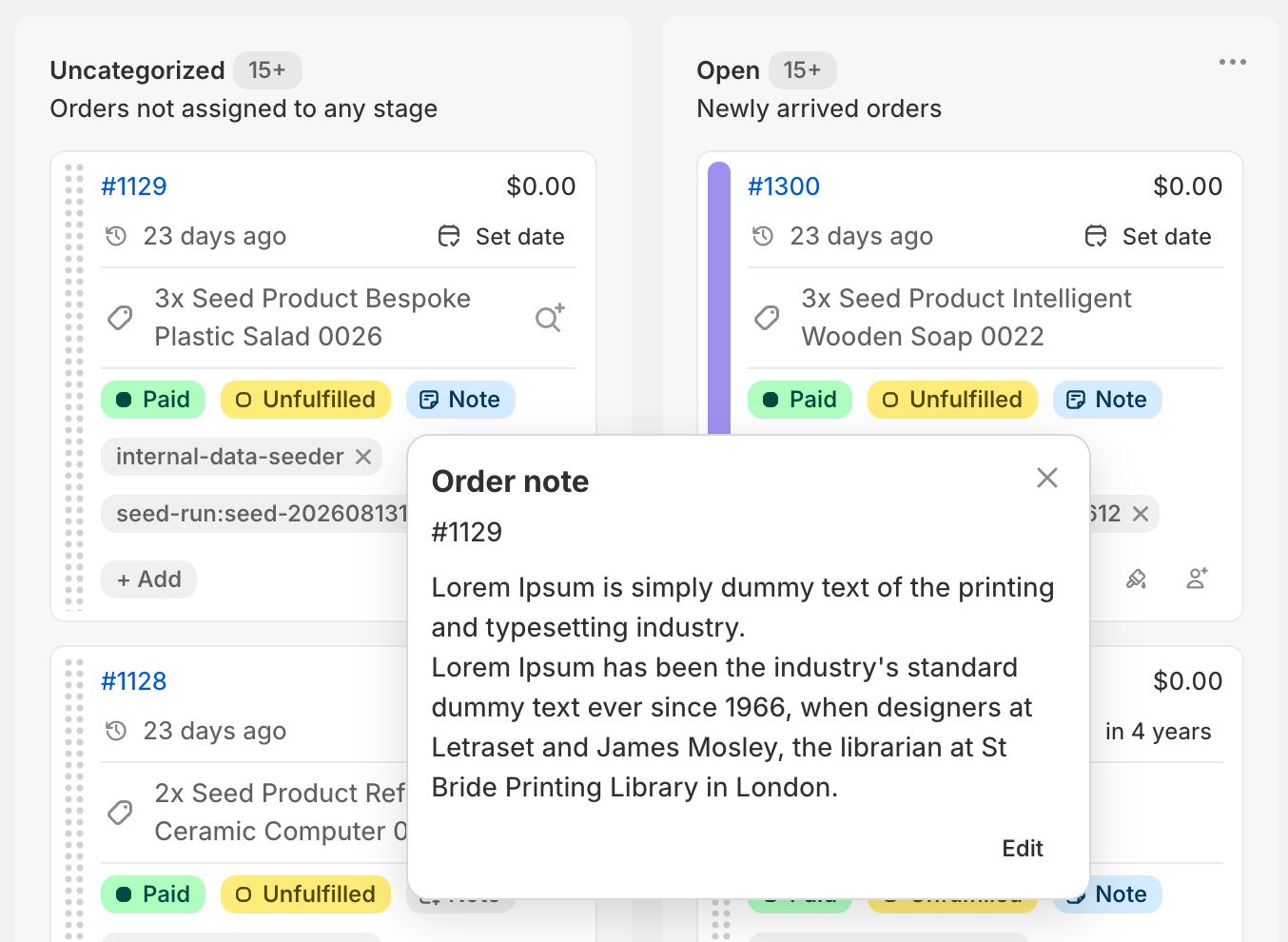
Do not forget to visualize the internal due dates in each Kanbanify card by enabling it in the Card details section of Settings.

New · · Davide - Kanbanify Founder Davide - Kanbanify Founder

v3.31.0 — Shopify Flow Automation for Draft Orders

Turn your Draft Orders into dependable Shopify Flow automations.

  • A new Draft order stage changed trigger starts when Kanbanify places an open Draft Order on your Drafts board or moves it between stages.
  • New actions let you set a Draft Order’s stage, set its marker, or assign it to a teammate from your Kanbanify roster, without leaving Flow.

Flow triggers and actions now report the exact change they confirmed, so workflows receive clearer, more reliable events. Order and Draft Order task names and descriptions follow one consistent style, making your workflows easier to build and maintain.

August 2026

New ·

v3.26.0 — Due dates and order tools in Shopify Admin

Keep your team on schedule and manage more of the workflow without leaving Shopify Admin.

  • Add internal due dates to orders and see overdue or upcoming work on the board.
  • Create Kanbanify Orders views for teams, due dates, and open orders that still need a due date.
  • View or update an order’s Kanbanify stage, assignee, and due date from Shopify Admin.
  • Print selected orders as physical Kanbanify Cards.

Manual sorting is also easier to discover, and you can choose whether due dates appear on order cards.